Endpoint Configuration
Every endpoint that is configurable in the Account Linking section has a common structure. It defines all the possible settings we can provide to perform an HTTP call, from the request creation to the response parsing.
Flows and Context
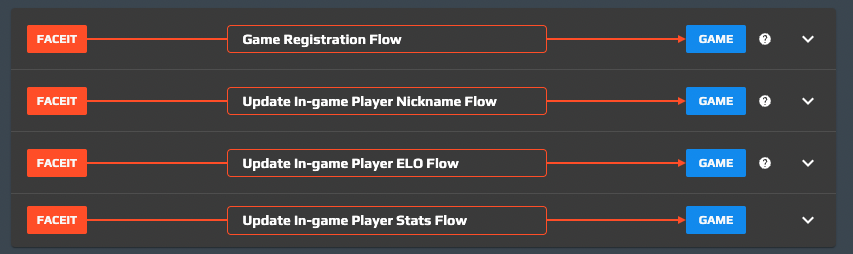
Every endpoint lives inside a defined “flow”, a list of steps that FACEIT executes in order to perform a specific operation like game registration, nickname refresh, elo refresh, etc.
In every flow there is a “context”, a container of variables that are shared between the steps (so accessible by every endpoint that was defined).
The goal of every endpoint is to enrich the context with new variables that can be used to achieve the purpose of the flow.
The game developer can use context variables to compose url, headers and body with the ${variable} notation (e.g. https://website.com/user/${platformId}): FACEIT will perform the interpolation of those placeholders before executing the call.
Every flow starts with a set of well defined variables in the context (referred to the user who started the flow).
In a similar way, at the end of the flow a well defined set of variables is extracted from the context and saved into the game profile of the user.
Here the full list of variables available in input for every flow:
| Registration | Update nickname | Update elo | Update stats | |
|---|---|---|---|---|
| platform | ✓ | |||
| platformId | ✓ | |||
| platformName | ✓ | |||
| platformMeta | ✓ | |||
| game | ✓ | ✓ | ✓ | ✓ |
| gameId | ✓ | ✓ | ✓ | |
| gameName | ✓ | ✓ | ✓ | |
| gameMeta | ✓ | ✓ | ✓ | |
| region | ✓ | ✓ | ✓ |
Here is the list of the variables for each flow which are read from the context in order to create/update the game profile:
| Registration | Update nickname | Update elo | Update stats | |
|---|---|---|---|---|
| gameId | ✓ | |||
| gameName | ✓ | ✓ | ||
| gameMeta | ✓ | ✓ | ||
| region | ✓ | |||
| tags | ✓ | |||
| elo | ✓ | ✓ |
Each endpoint can be configured differently for Testing and Production environments. This can be done by toggling the Use different endpoint settings for the Production Environment switch from the Production tab in the endpoint editing section.
Note that once this switch is enabled all the changes to this endpoint (that are common to both environments) need to be set on both environments by switching between the Test Env/Production tabs.
When the toggle is switched off, all the Production settings will be reset to match the Test Env ones (this is subject to confirmation).
Endpoint Settings
For every endpoint there are 8 settings: 5 for the call creation (url, headers, etc) and 3 for the response parsing (field mappings, errors, etc). There is also a text area where the game developer can copy the cURL of the composed call in order to quickly debug the endpoint.
Moreover, you can define whether a failure when contacting the endpoint (an HTTP status code different than 2xx Successful) will result in an overall failure of the flow, or whether it can be ignored (and the flow will continue to the next endpoint). This is toggled with the Allow endpoint to fail checkbox.
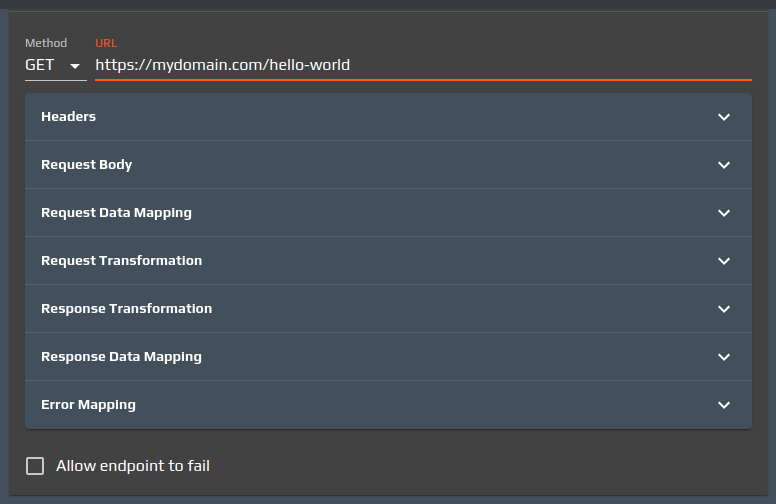
Method and URL

This setting allows the developer to define the HTTP method to use and the url to call.
The Method can be picked from a dropdown which contains only the HTTP methods that are meaningful for the call.
The URL field, which should define an HTTPS protocol url, can use variables from the context (using the ${variable} notation)
Headers
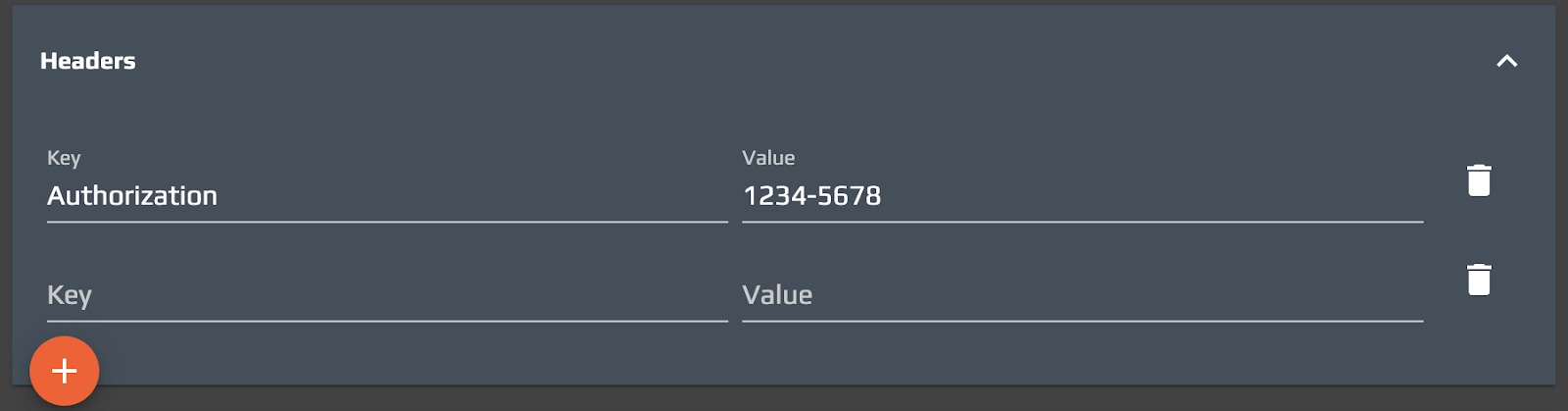
The Headers section allows the developer to define a list of HTTP headers. Both Key and Value fields can use context variables using the ${variable} notation.
Request Body

The Request Body section allows the developer to define the body payload of the call. Again, here we can use context variables using the ${variable} notation.
If the defined HTTP method is GET, this section won’t be editable.
Request Data Mapping
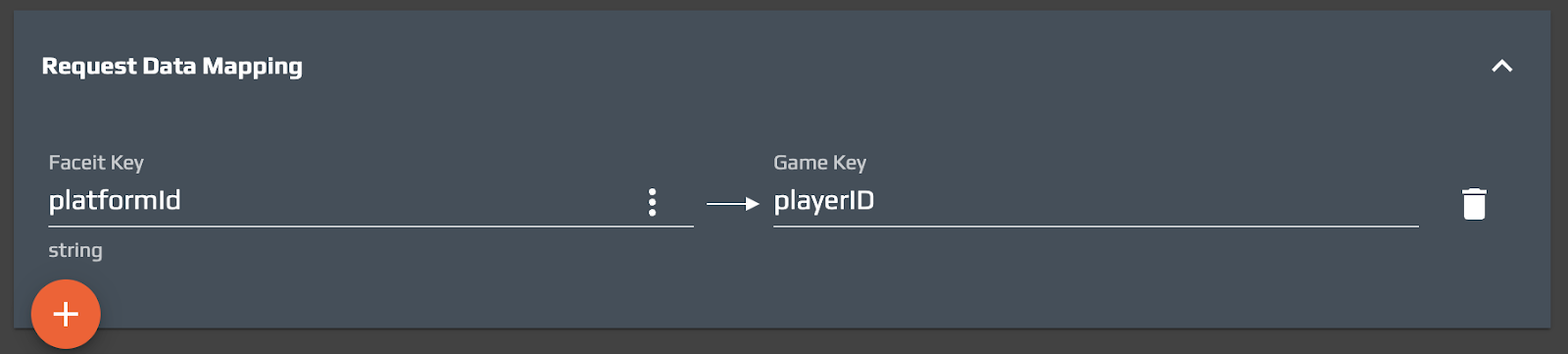
The Request Data Mapping section allows the developer to rename context variables. This is not a mandatory operation, the Request Data Mapping can be left empty if there’s no need for such renaming. In this case a new context variable will be created and it will be ready to be used in the endpoint call (${playerID} in the example above).
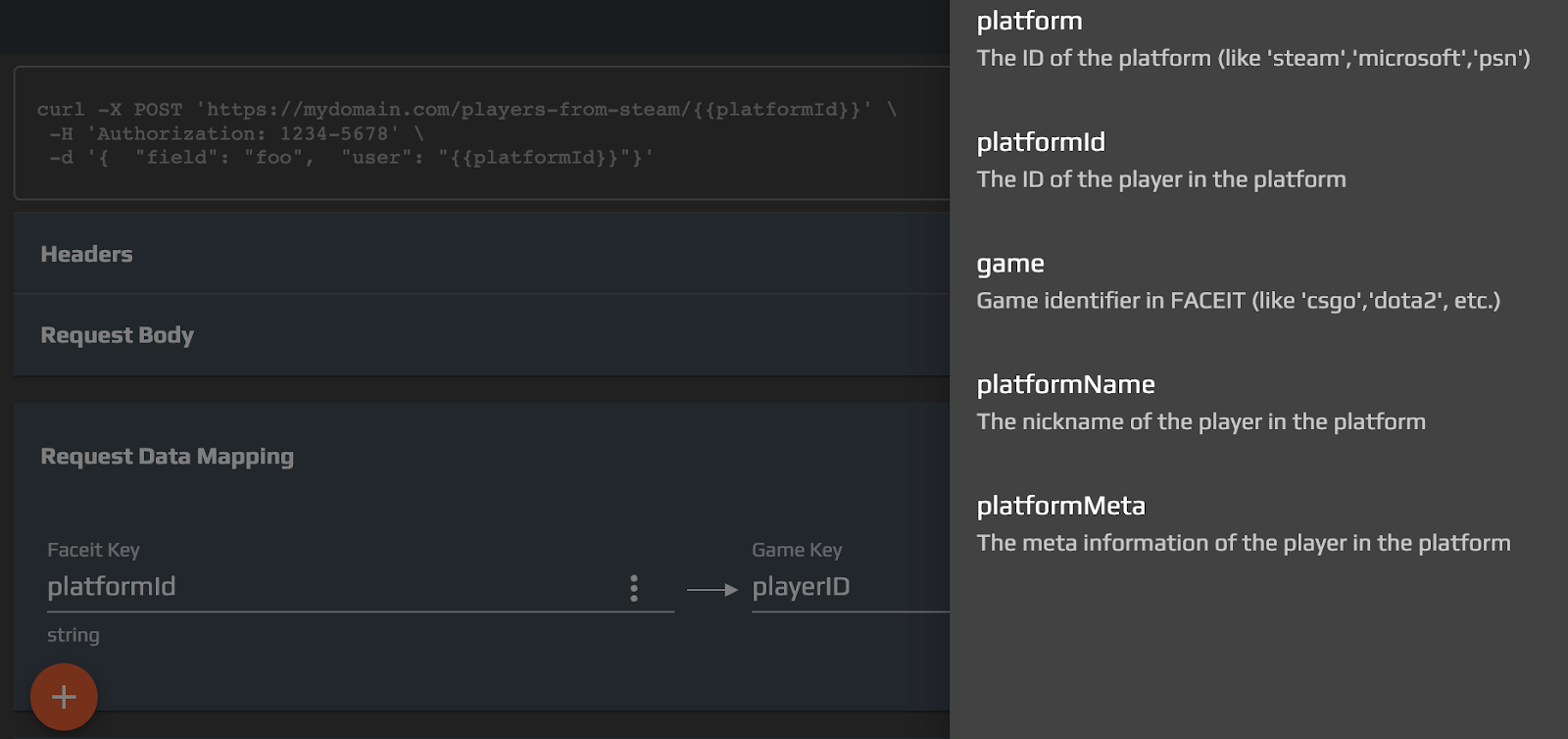
The FACEIT Keys that can be renamed are the ones available for the flow: by clicking on the "⋮" button, a list of selectable keys will appear in a drawer on the right side of the page.
Request Transformation

The Request Transformation section allows the developer to define a Javascript snippet to manipulate the request body of the call. This script, executed before the call, can access all the context variables thanks to the context object, a javascript object that will contain all the flow variables. Inside this object the developer will find request, the object that contains the request body of the call to be modified.
Response Transformation

The Response Transformation section allows the developer to define a Javascript snippet to manipulate the response body of the call. This script, executed when the response is received, can access all the context variables thanks to the context object, a javascript object that will contain all the flow variables. Inside this object the developer will find response, the object that contains the response body of the call to be modified.
Response Data Mapping
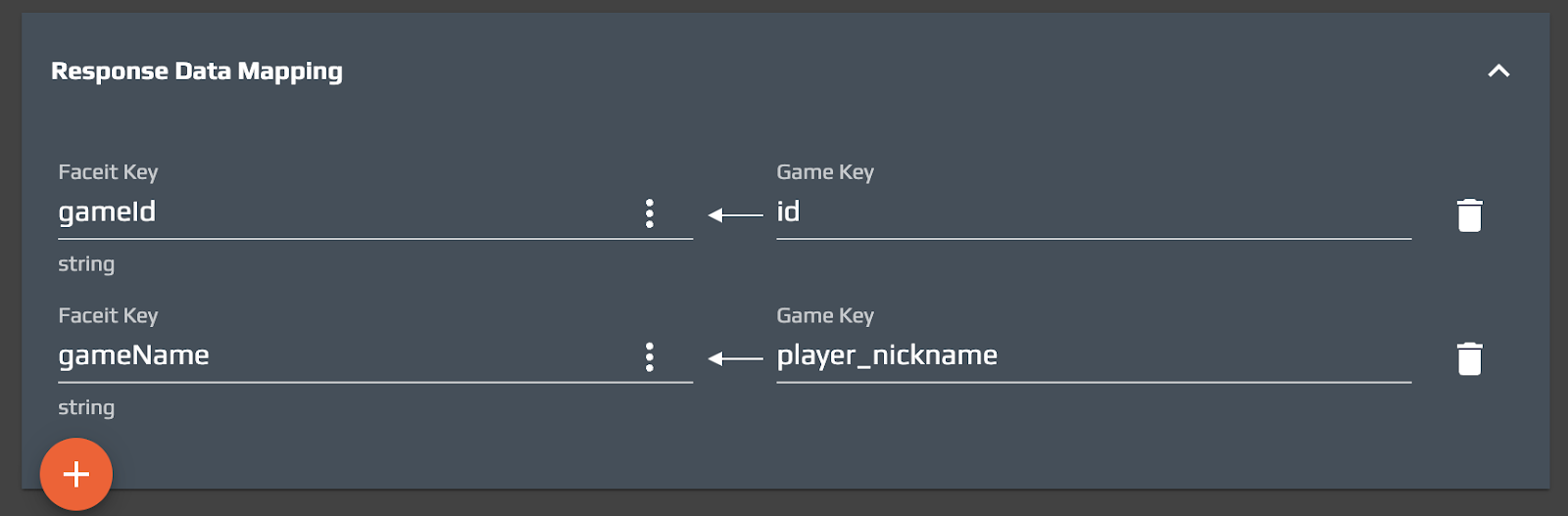
The Response Data Mapping section allows the developer to map response body fields to context variables. This is a mandatory operation, since the goal of an endpoint call is to enrich the context. In the example above, the gameId of the user will be read from the id field of the response, while the gameName from a field called player_nickname.
The FACEIT Keys that can be mapped are the ones available for the flow: by clicking on the "⋮" button, a list of selectable keys will appear in a drawer on the right side of the page.
Error Mapping
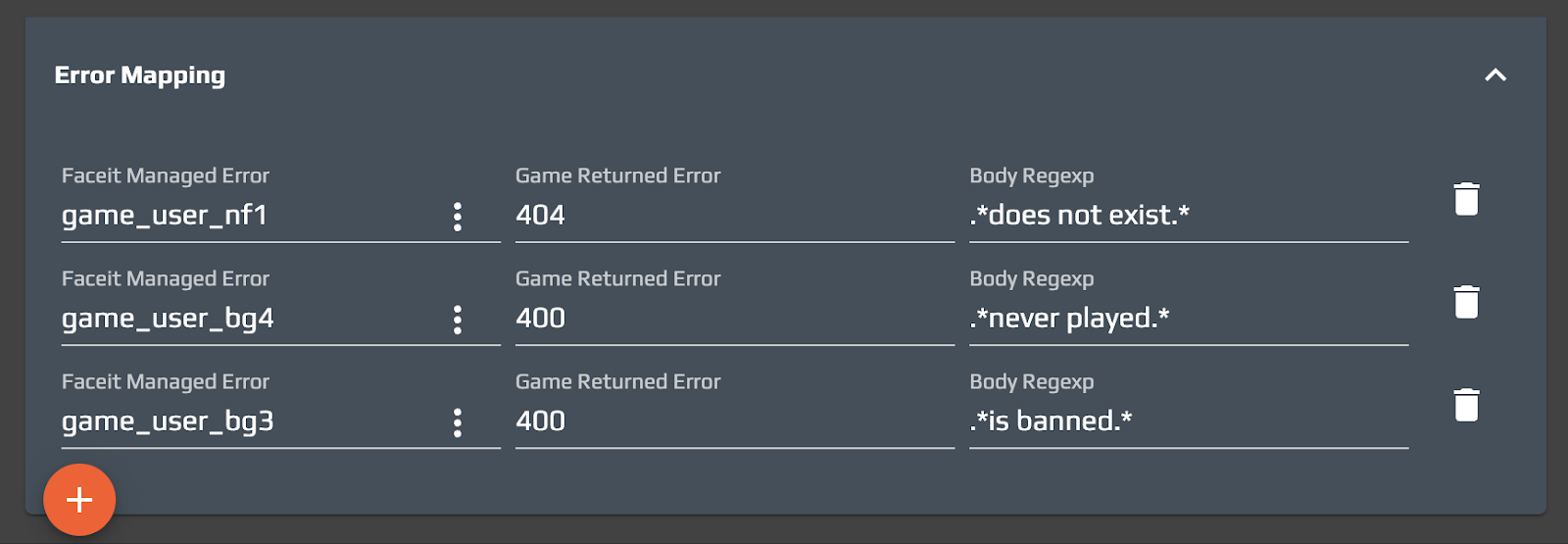
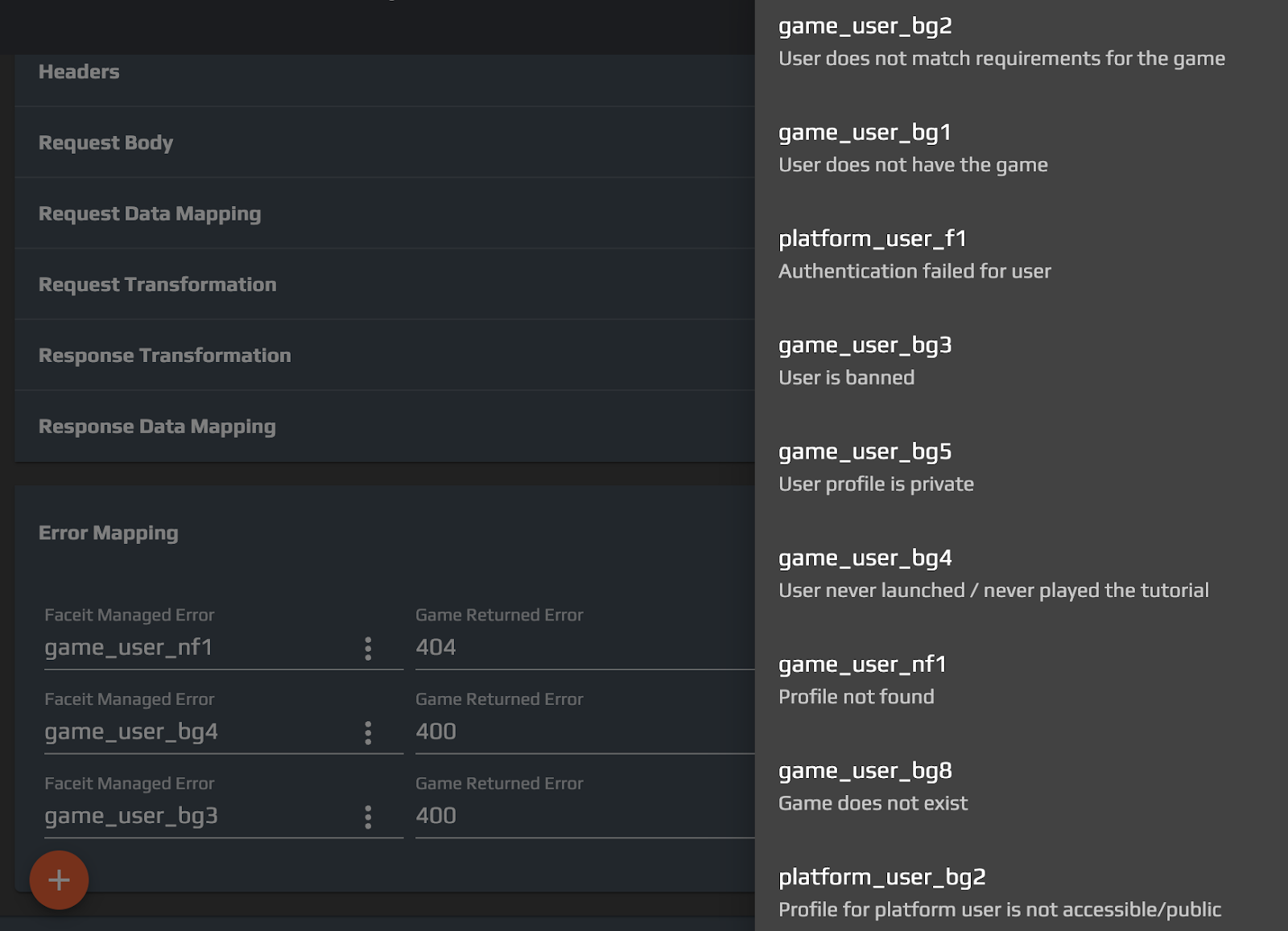
The Error Mapping section allows the developer to parse error cases and map them into well known error codes. FACEIT provides a list of error codes that are managed with a proper UX for the end user (proper localized error messages, retries etc). In order to do so, the developer should define the HTTP status code and a body regular expression that will match the error case (respectively in the Game Returned Error and Body Regexp).The errors that can be mapped are the ones available for the flow: by clicking on the "⋮" button, a list of selectable errors will appear in a drawer on the right side of the page.